Choose the backup
Open a .tar backup from the browser. Nothing is uploaded or restored.
 RomeoApps
Home Assistant Backup Browser · local-first software · version 0.1.0
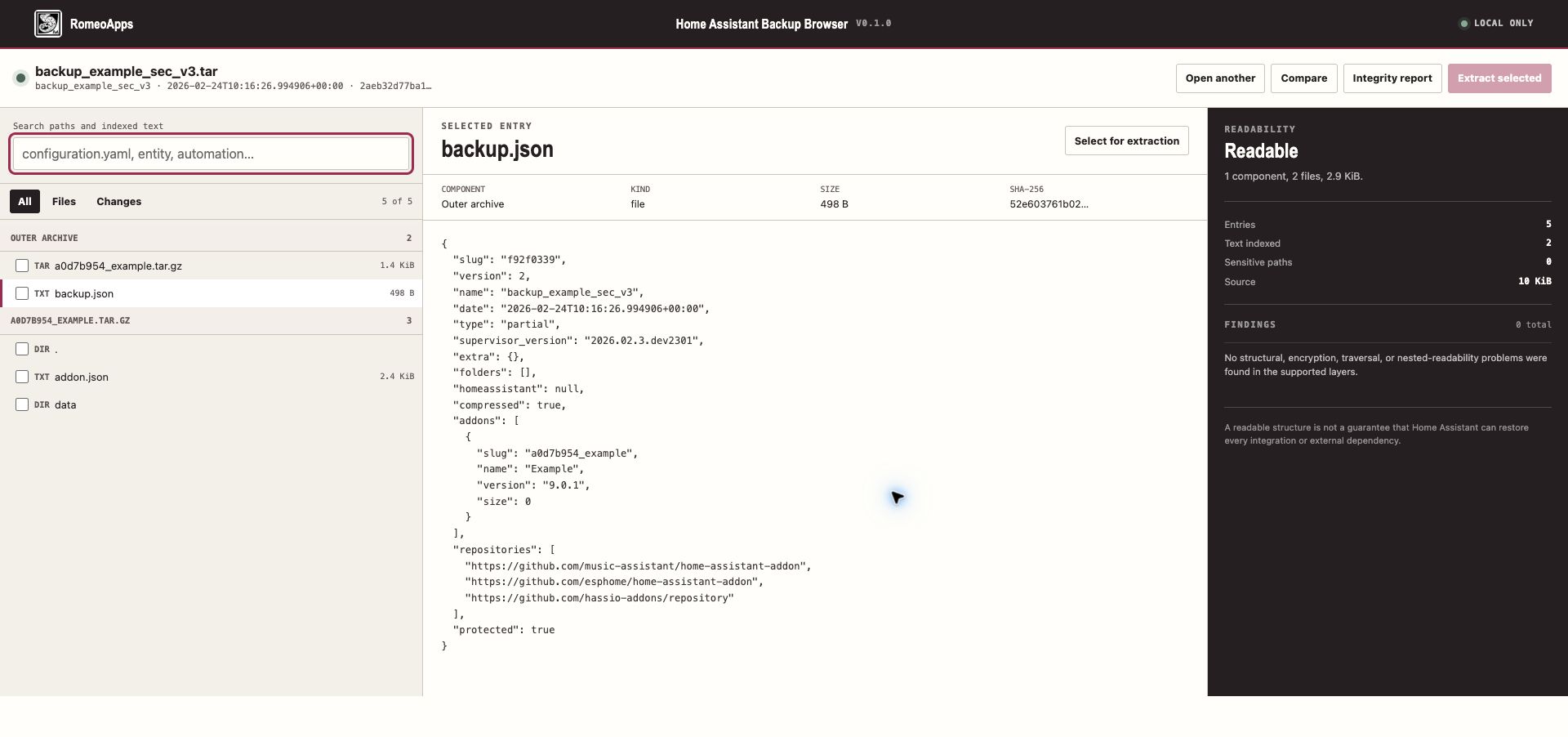
Browse, search, compare, integrity-check, and selectively extract a supported Home Assistant backup on your own computer—even when its nested archives use current SecureTar v3 encryption.
Immediate verified ZIP delivery after Stripe confirms payment. One named user, owned or authorized inputs, version shown, a 30-day no-reason withdrawal policy, and compatibility support. Statutory rights are unaffected.
The workflow
The product stays on your device, makes uncertainty visible, and produces only the output you deliberately request.
Open a .tar backup from the browser. Nothing is uploaded or restored.
Enter the backup key only when needed; inspect integrity, metadata, entries, and safe text previews.
Compare a second backup by SHA-256, then download only the selected regular files or folder.
Why this exists
The paid release packages a bounded, repeatable workflow with integrity evidence, truthful limits, and a recovery/support route.
Inspect a backup before changing or replacing a working Home Assistant installation.
Official public plain, v2, and v3 fixtures plus a deterministic source-derived v1 conformance fixture are part of the release evidence.
Checksums, path rules, record/size ceilings, authenticated v3 chunks, and inert previews fail closed.
Compatibility
The supported path is explicit, so you can decide quickly and get the right fit.
Scope note: Selected extraction is capped at 1 GiB and ZIP32/65,535 files. Text indexing is capped per file. Read the included compatibility matrix before relying on very large backups.
Frozen release
The download service verifies this immutable artifact before every delivery. Compare its SHA-256 after download.
0.1.0romeoapps-home-assistant-backup-browser-0.1.0.zip681d3d31af1dbece5bbdde776ea4203d66fa06c120758b7d4273b6cf90416bfcAfter purchase
Purchase recovery
Enter the same email used at Stripe Checkout. For privacy, the response is identical whether or not a matching purchase exists.
Questions
No. The shipped product has no customer-file upload path. Stripe receives payment/contact fields; the fulfillment service receives Stripe identifiers and the checkout email for delivery/recovery. Neither receives the archive or diagnostic source you open in the product.
You may withdraw for any reason within 30 days through the online withdrawal page, including after download. Separately, if the published supported workflow does not work, contact support within 30 days for one reasonable troubleshooting attempt or a full refund. Neither policy limits mandatory consumer rights.
One named user may use the purchased version with files they own or are authorized to process. The purchase is not a subscription and does not grant access to accounts, systems, or third-party data.
No automated privacy detector is a guarantee. Review every report or derivative before disclosure, and share it only when you have authority. The product reduces avoidable exposure; it cannot understand every custom secret or context.
Home Assistant is a trademark of the Open Home Foundation. This independent RomeoApps product is not affiliated with, endorsed by, or sponsored by the Open Home Foundation or Home Assistant project.