RomeoApps

Evidence guide · Home Assistant backups

Open a backup without restoring it.

Need one configuration file, dashboard, automation, or add-on file from an old backup? Inspect the supported archive locally, find the exact entry, and export only what you choose instead of replacing a working installation.

Independent RomeoApps software. It does not connect to Home Assistant, restore a system, bypass encryption, or upload your backup.

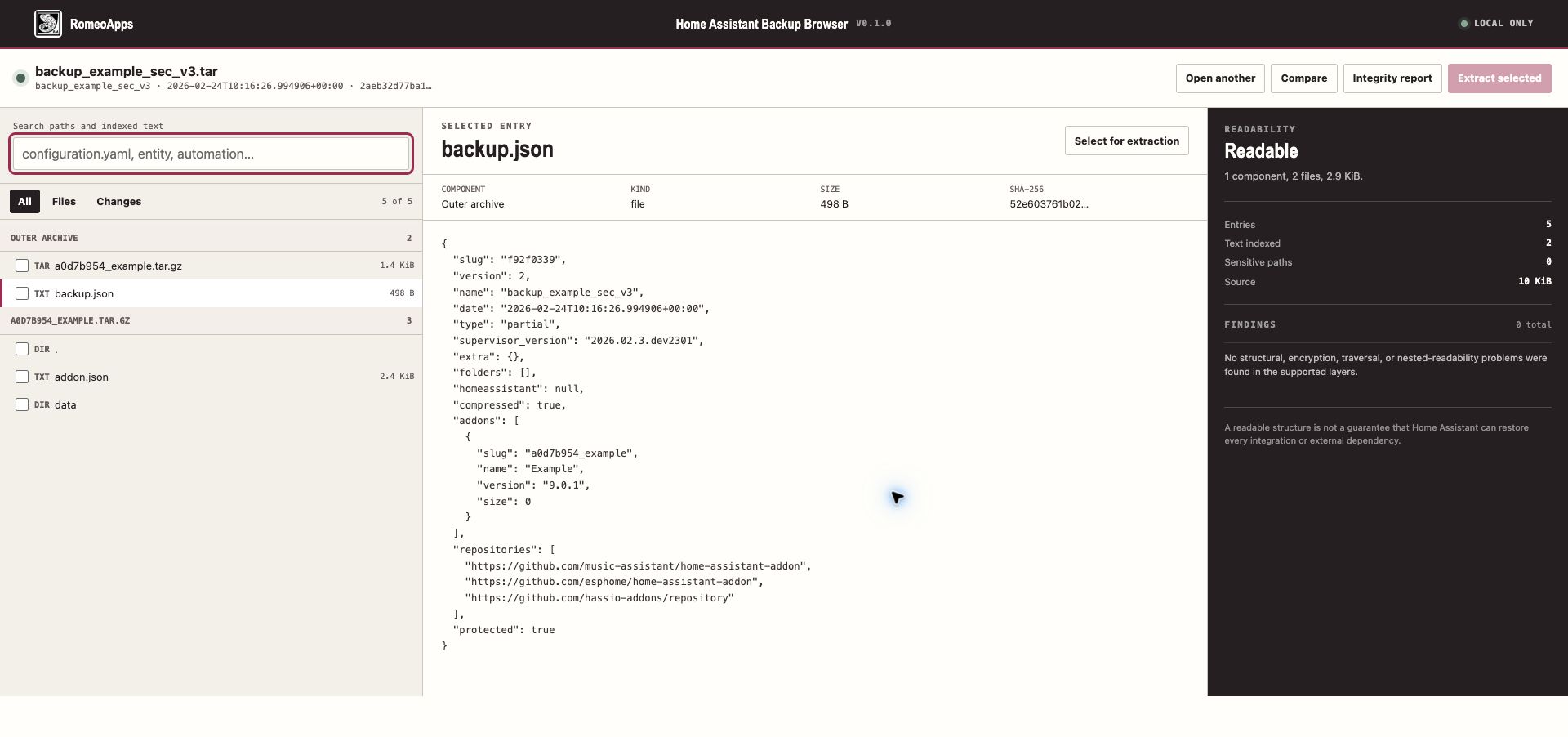
Home Assistant Backup Browser showing a searchable backup tree and selected backup JSON
Example local inspection using the public SecureTar v3 fixture; the release keeps the workflow local and repeatable.

The useful question

What do you need from the backup?

A full restore is a risky way to answer a one-file question. Start with the path, content, and integrity evidence you can review.

01

Find the configuration

Search paths and indexed text for configuration, secrets references, entity names, automations, or dashboards before opening a file.

02

Inspect encrypted layers

Use the supported key path for the tested SecureTar versions; wrong or missing keys fail clearly instead of producing guessed content.

03

Extract one selected file

Keep the source hash and export only the regular file or folder you deliberately choose. The original archive stays read-only.

A safer recovery path

Inspect first. Change nothing until you know.

The paid browser makes the decision boundary visible before any extraction occurs.

  1. Choose the supported outer TAR backup and confirm its source fingerprint.
  2. Unlock a protected layer only when you have the key; browse the nested tree and search indexed text.
  3. Preview the selected JSON, YAML, or text entry with its component, size, and SHA-256 context.
  4. Compare another backup when needed, then extract a selected regular file or folder to a new destination.

Questions before restoring

A backup can answer a narrow question without becoming a restore.

  • Can I recover one file? Yes, when it is inside a supported readable layer and you have the required key.
  • Can I preview configuration? Supported JSON, YAML, and text entries can be searched and previewed locally.
  • Will this restore Home Assistant? No. The tool only inspects and selectively extracts; it never runs or restores backup content.
  • Will every integration be recoverable? No. External services, generated state, and unsupported formats remain outside the published boundary.

Scope boundary

Inspect safely before you restore.

  • The workflow stays local: no Home Assistant connection, account access, password recovery, or decryption bypass.
  • Unsupported archive generations, components above the documented browser ceiling, and malformed/path-traversal input are rejected clearly.
  • Home Assistant is a trademark of the Open Home Foundation. This independent RomeoApps product is not affiliated with or endorsed by the project.